Your documents, as searchable as the regulations
Upload the project and ask it questions. It is indexed on upload, and you can search the project, the regulations or both at once.
Request a demo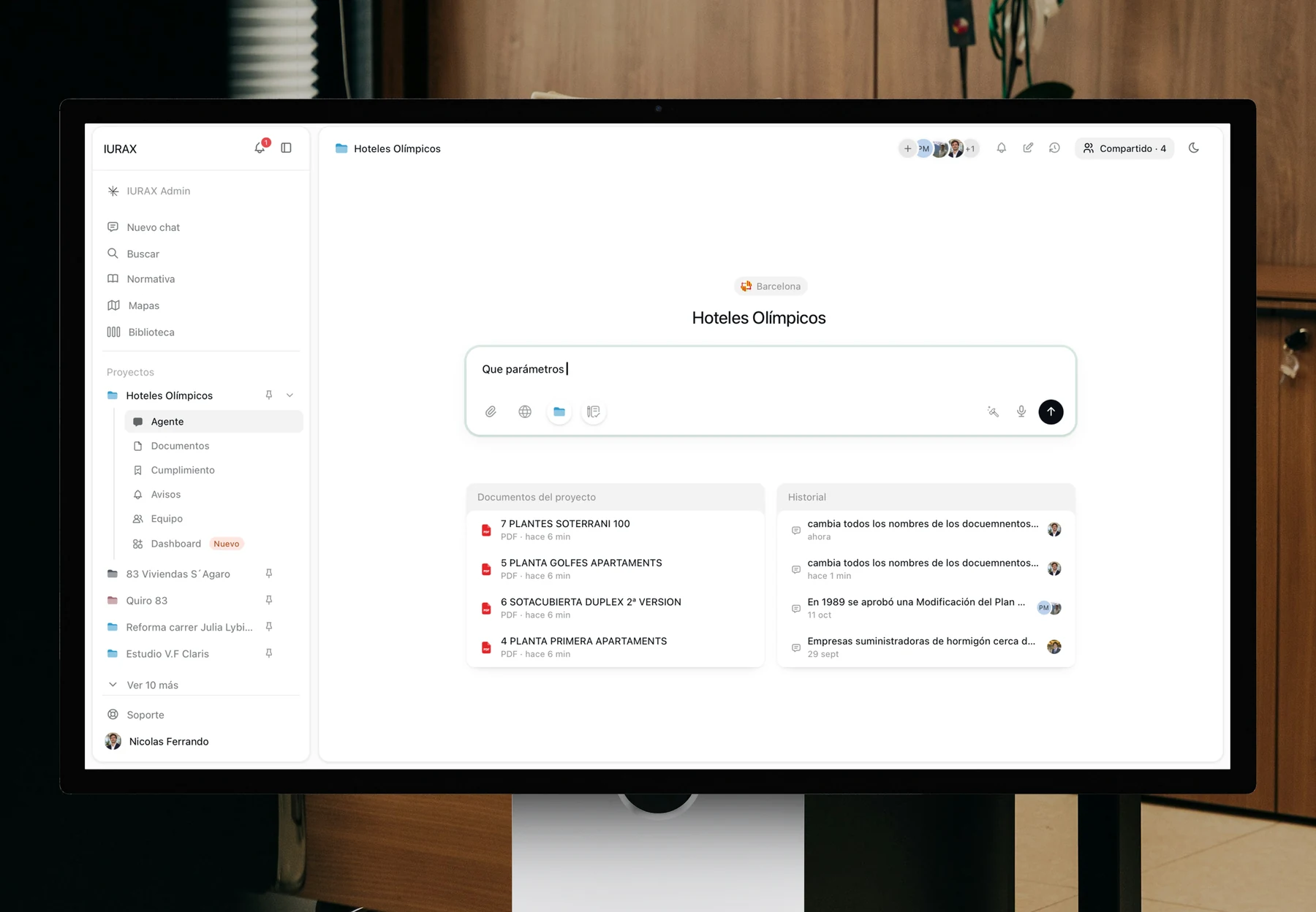
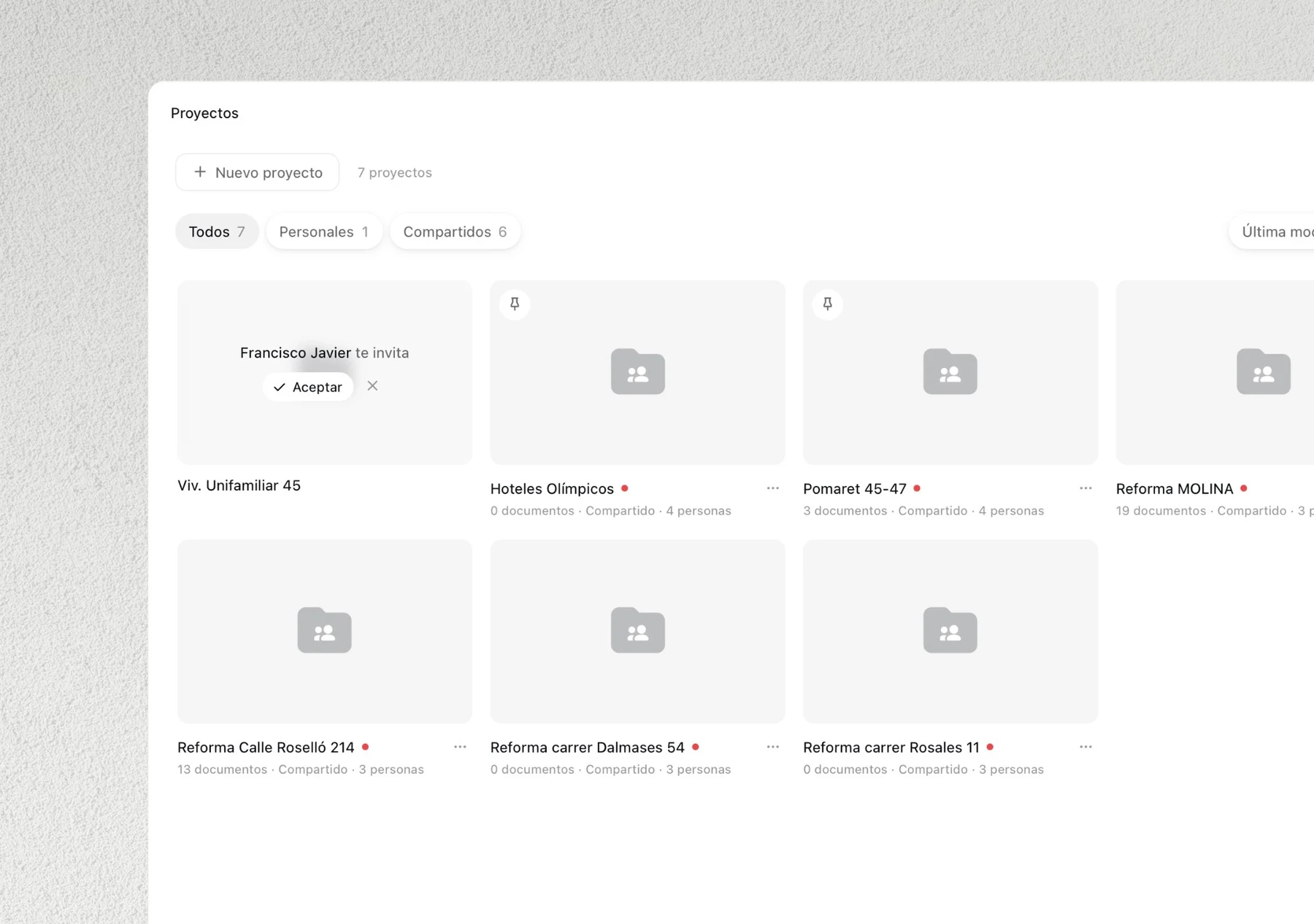
Sets up the project
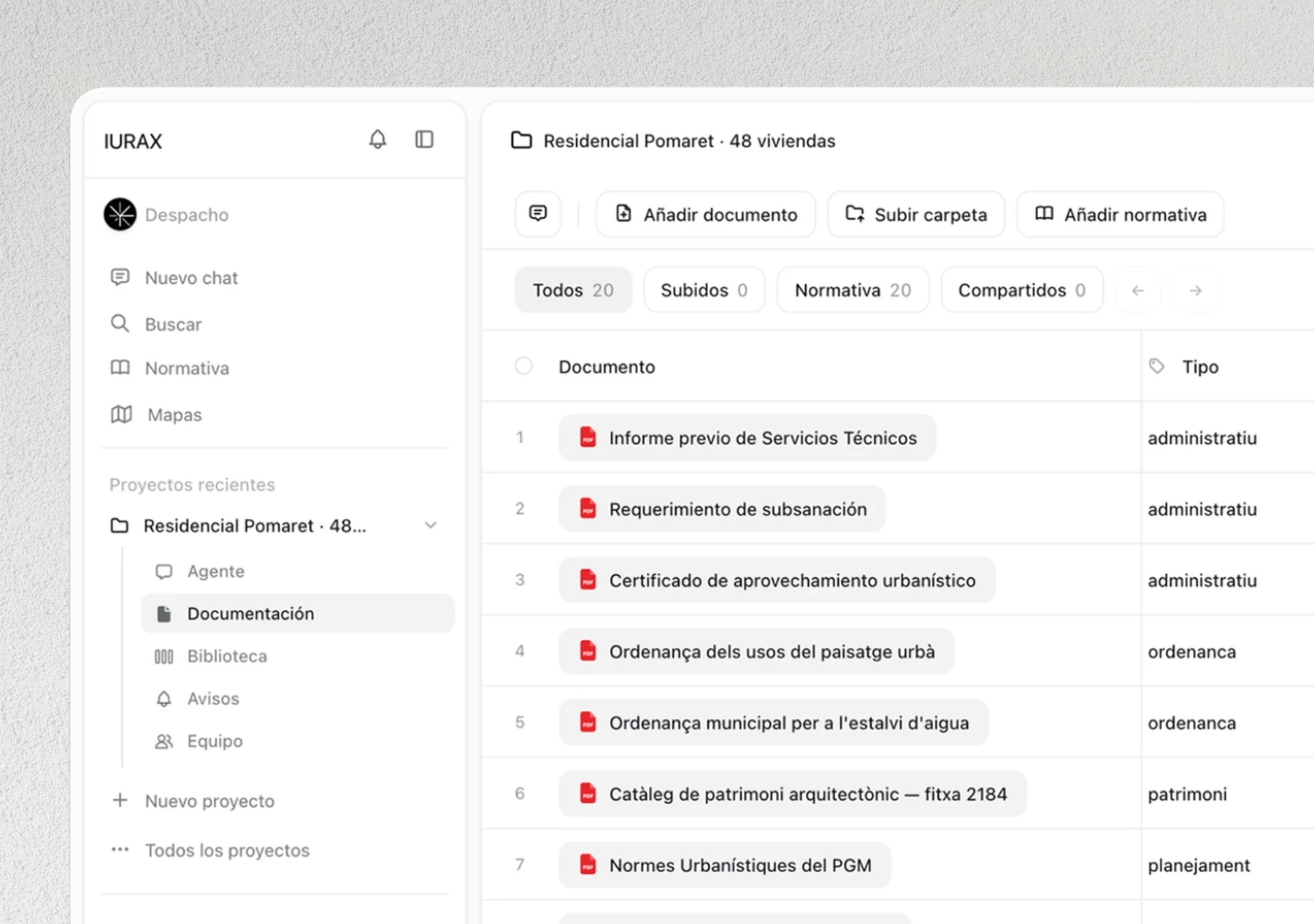
Upload the documents and they are ready to search, with no sorting or renaming.
Indexed on upload
Project report, drawings, technical reports and council requests are searchable as soon as they are uploaded.
Linked to its plot
The regulations that apply to the plot are attached from day one.
Permissions from the start
You decide who has access, and at what level. Whoever receives the invitation accepts or declines it from the project card.
Narrows the search
Choose where to search, depending on what you need to know.
Project only
Track down something in your own documents when you cannot remember where it ended up.
Regulations only
Answer a question about the rules, with your project kept out of the results.
Both at once
For when you need to know whether the design meets the requirements.
Checks the design
The check you used to do by hand, one parameter at a time, with both sources side by side.
Parameter against article
Whether the height in your design stays within the maximum for the area.
Uses and conditions
Whether the use you have planned for the ground floor is permitted, and on what conditions.
Both sources cited
The answer gives you the article in the regulations and the page in your project report.
Starts from what is already written
The practice's Library
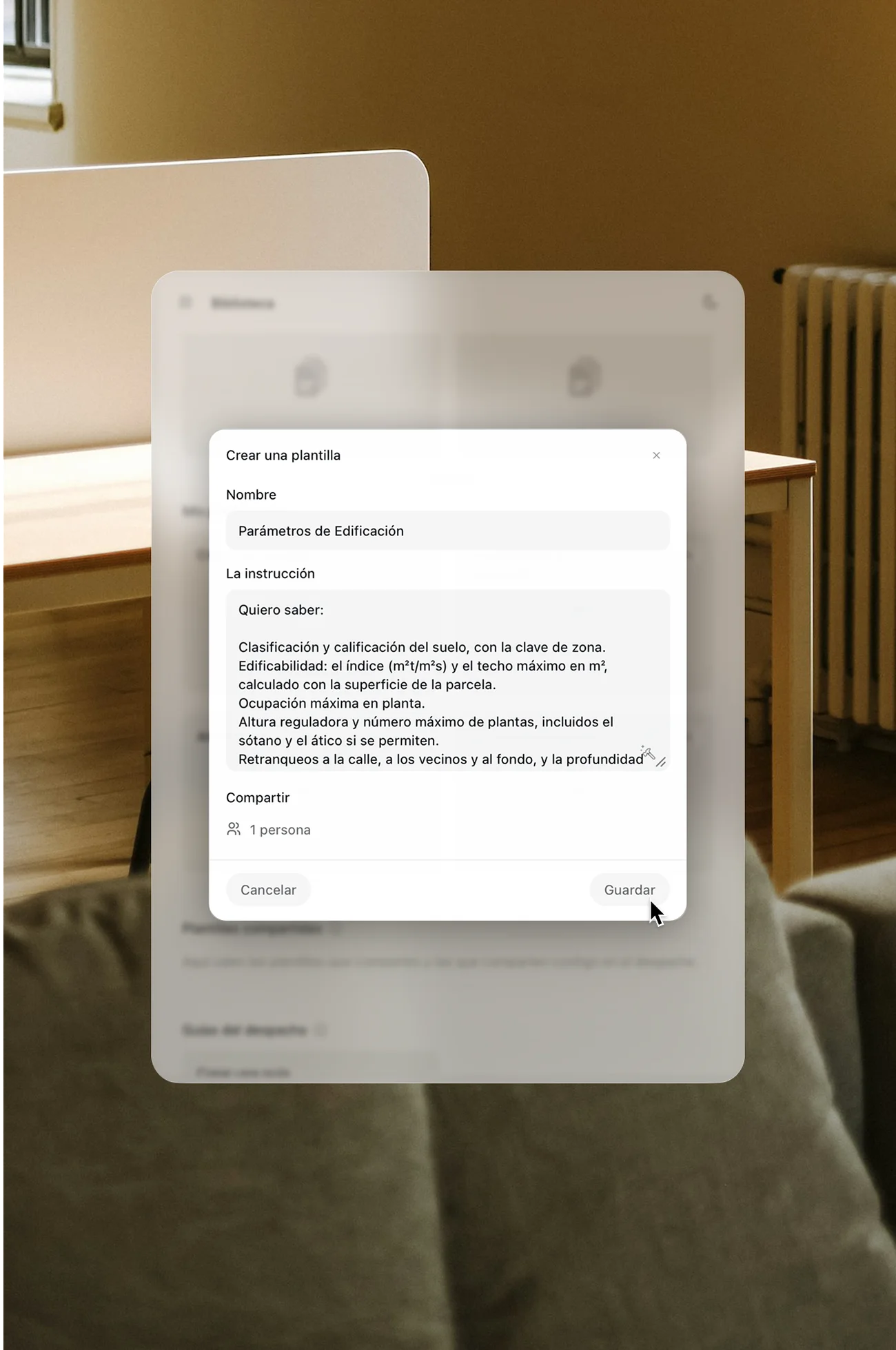
Create your instruction templates in the Library and add the practice's guides or guidelines, ready to attach to any query and verify that everything is correct.
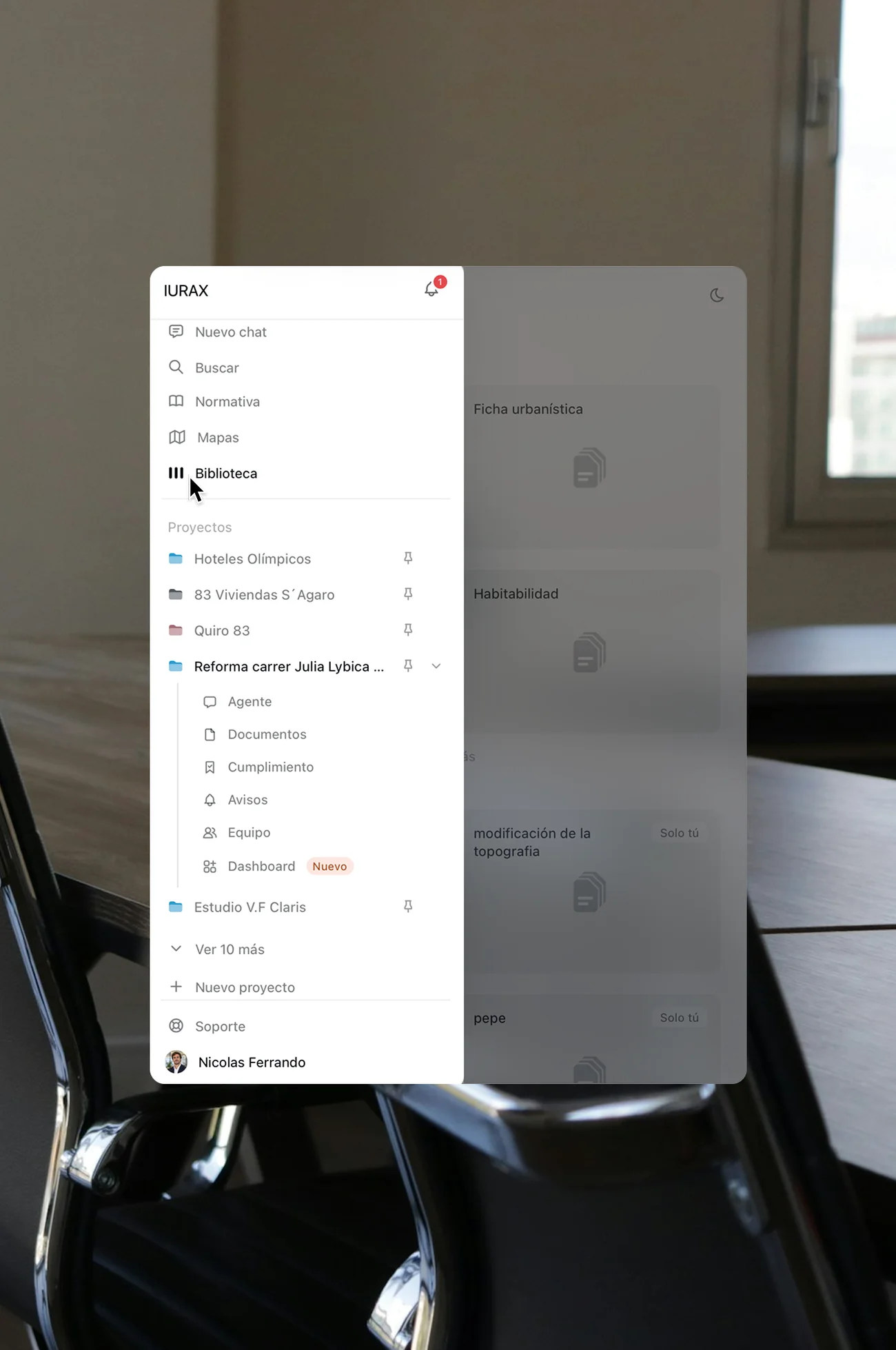
Your own templates or IURAX's
Use the ones IURAX provides, such as the planning data sheet or habitability, or the ones you write to your own criteria and share with whoever you choose.
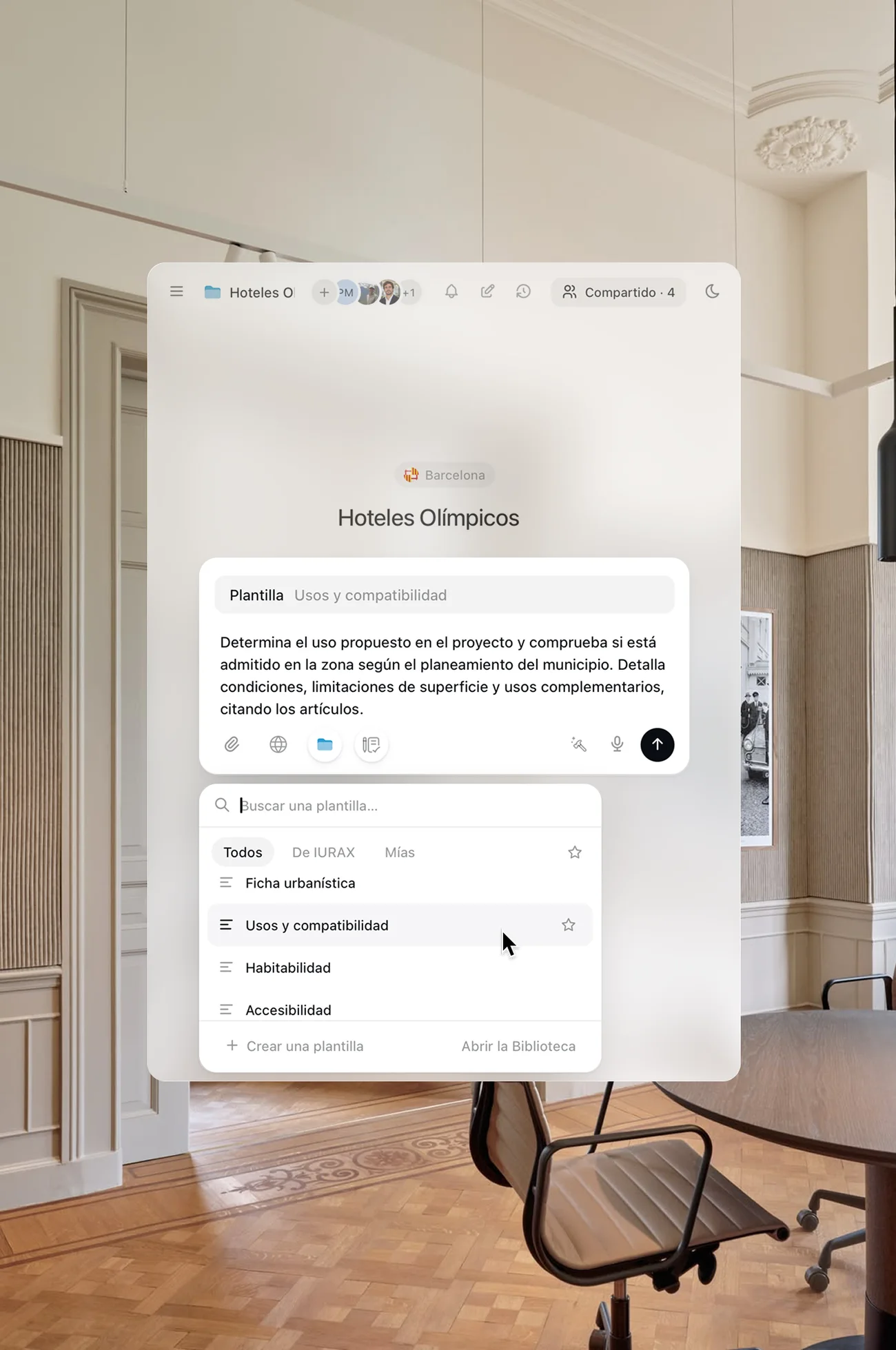
Applied in the project
Pick the template from the question box and the instruction is written over the project's documents, ready to send. Nothing to draft again.
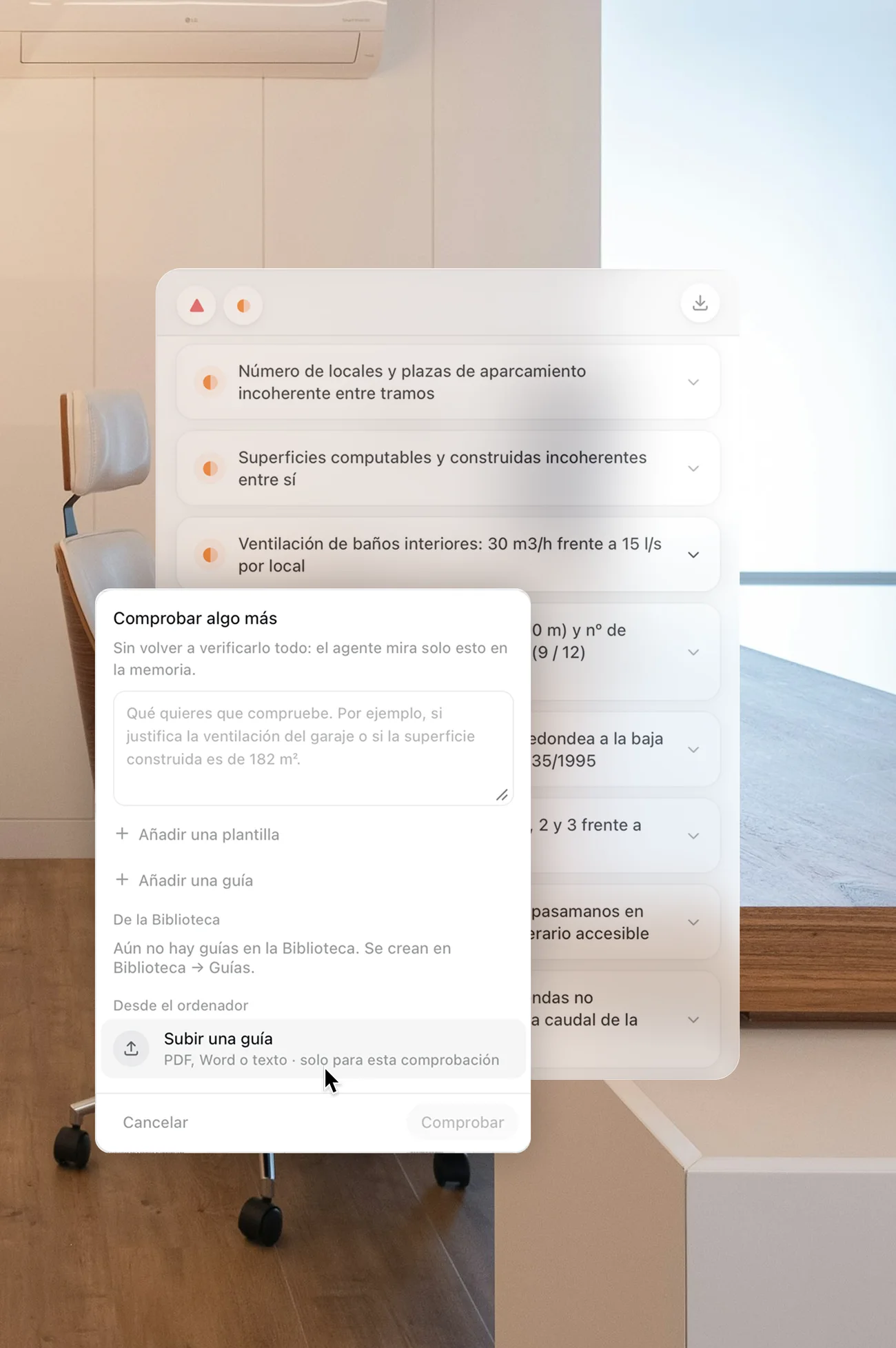
In reports and drawings too
The same templates and guides can be attached to the compliance review, to check a report or a drawing against the practice's criteria.
Organise them your way
Share the project
With the users in your practice: the project is a collaborative space, with its documents and its queries in view of everyone.
Pin them to the sidebar
The ones you are working on now, always to hand in the sidebar.
Personal or shared
Create projects just for you or to work on with the team. The folder tells you which is which.
Coloured folders
Each project in a folder of the colour you choose, so you can spot it at a glance.
Shall we try it on one of your projects?
Bring a plot and a real project file. In the demo, we look up the rules that apply to it and check where every figure comes from.
Request a demo