Check your project before you submit it
Upload the project report and drawings and get them checked against the regulations for that plot: what does not comply, by how much, and the article behind each issue.
Request a demo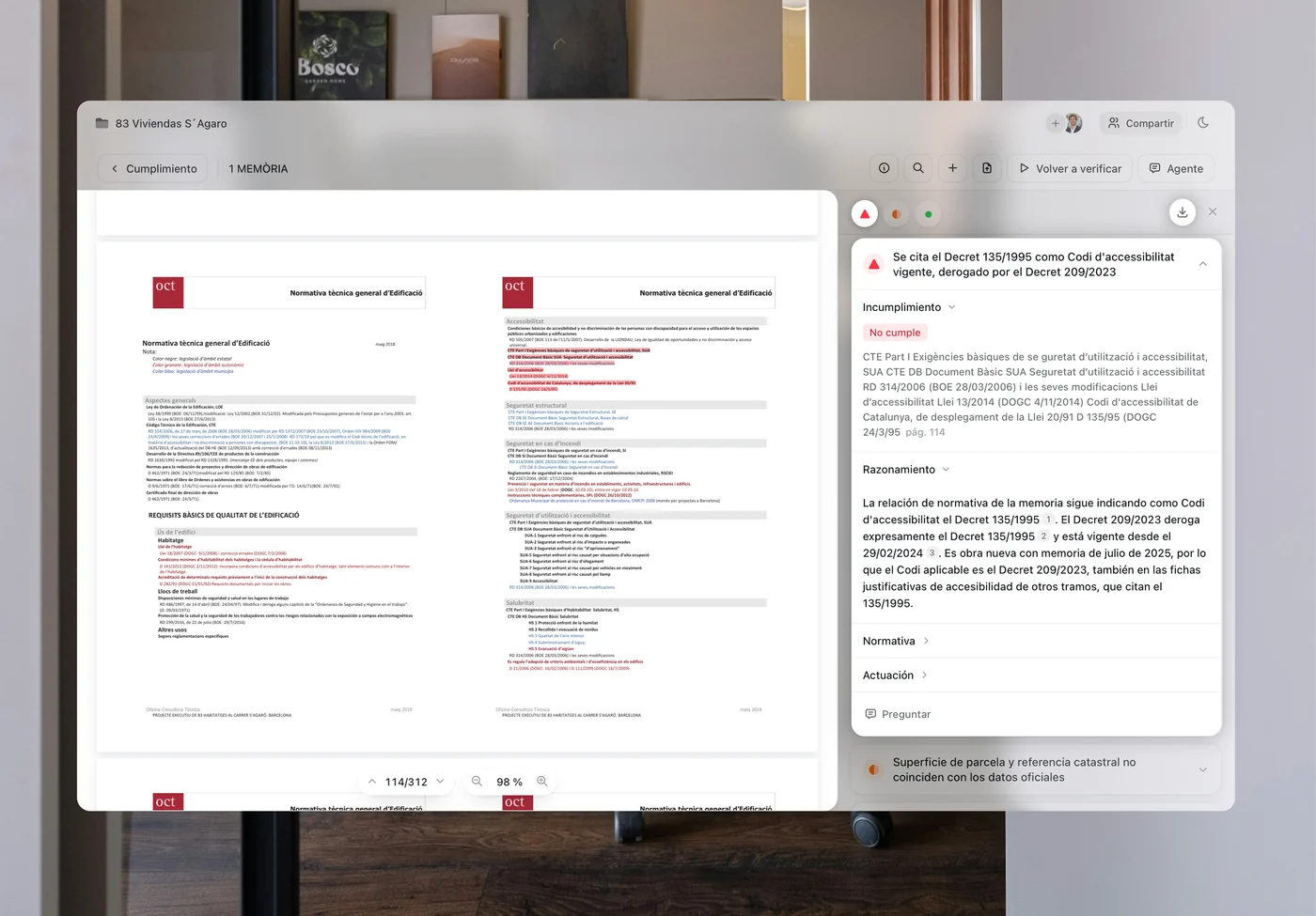
What the check gives you back
Reports and written documents
The document read in full. Every sentence that does not comply is underlined in the text itself, with its page.
Drawings
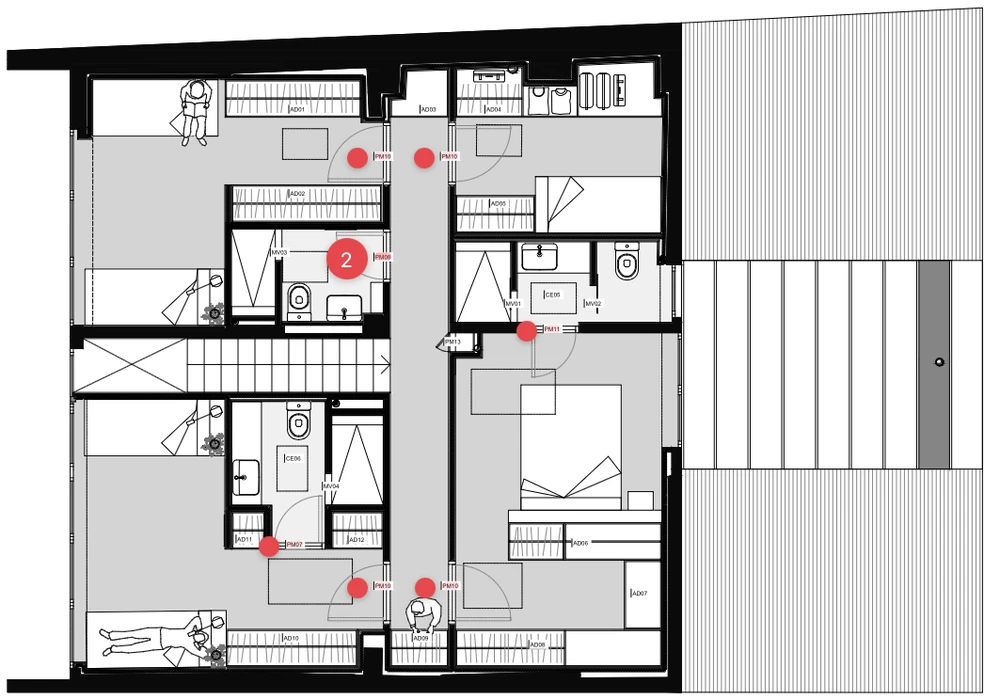
Every door, height or area that falls short is flagged at the exact point on the plan.
A verdict for every issue
Does not comply or needs review. You see at a glance what to fix before submitting and what is worth a second look.
With the article behind it
No issue without its rule: the article that supports it, open at the exact page.
Checks the drawings, point by point
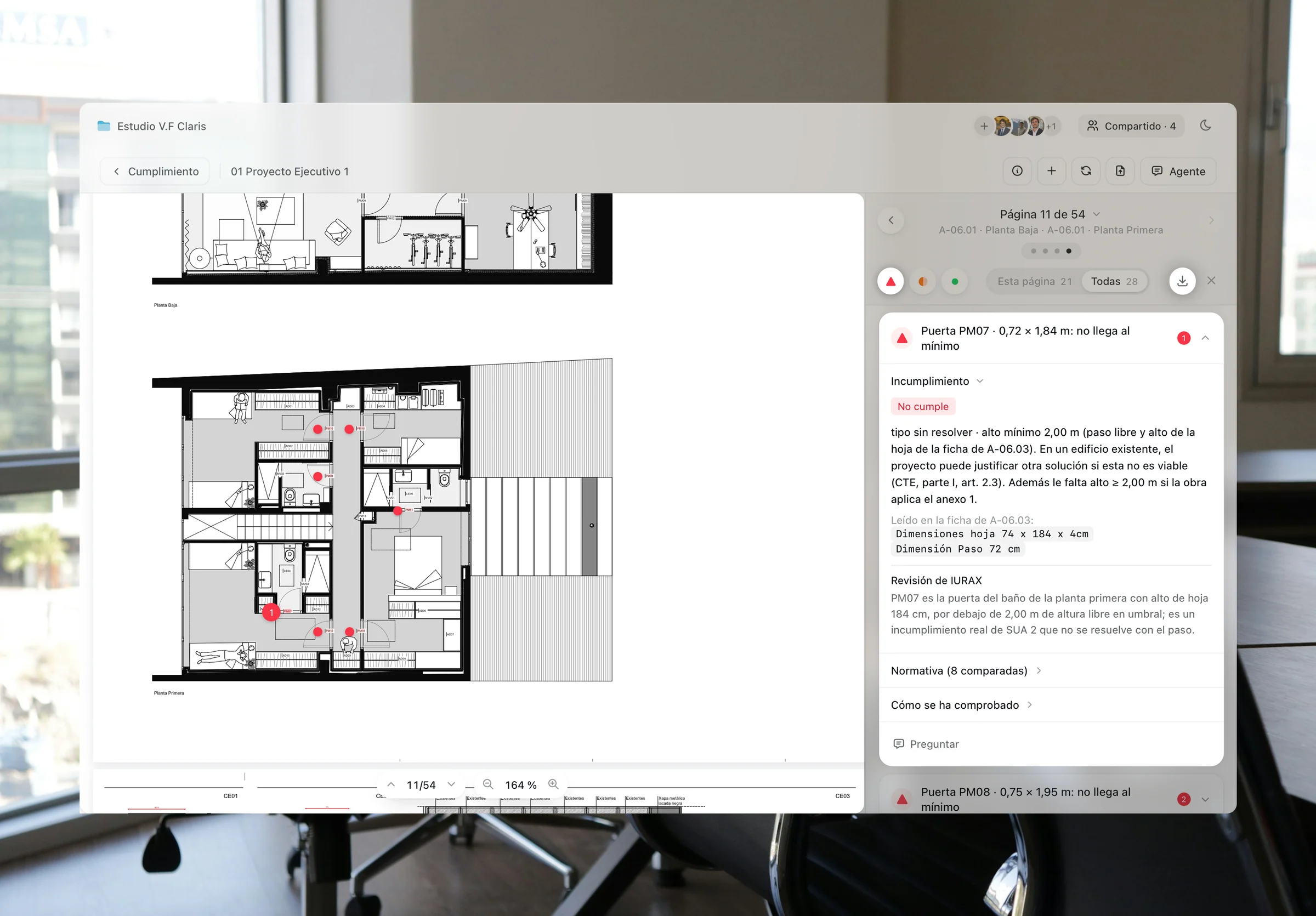
It identifies each drawing and checks what is drawn against the regulations: doors, clearances, joinery. Each element gets a numbered dot on the drawing and a card with the measurement read, the minimum required and the regulations compared.
Every issue, with the work already done
The non-compliance
What the project says and why it does not hold, with its page and its verdict.
The reasoning
How the conclusion was reached, step by step, so you can challenge it or accept it.
The regulations
The article that supports it, with its status and the exact passage highlighted.
The action
What to do to fix it: not just the problem, the way out as well.
Ask the agent about any issue
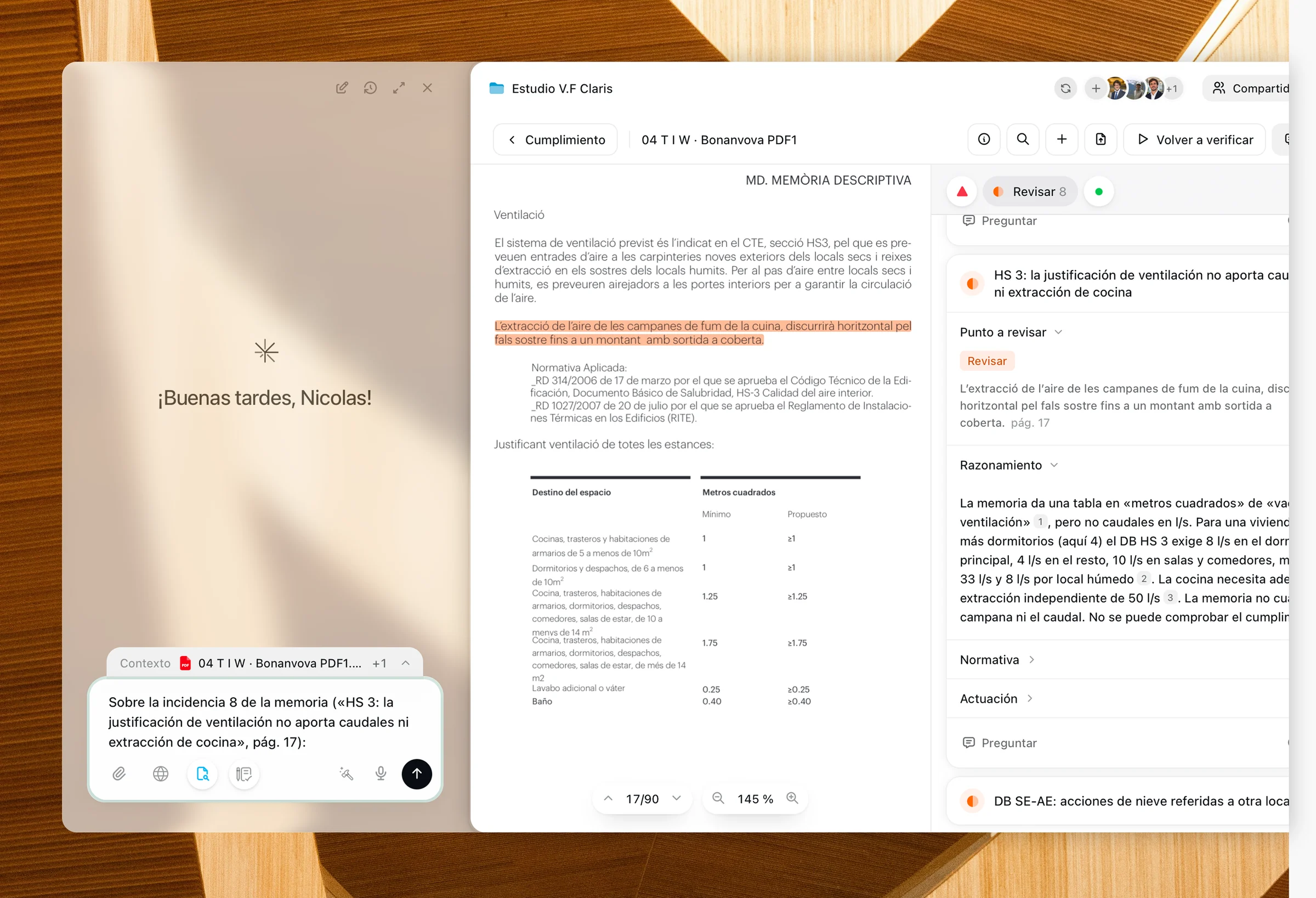
On any issue you can ask the agent: why it is flagged, what exactly the regulations say and what is worth changing in the project. It answers with the report and the regulations in front of it, not from memory.
Check exactly what you need
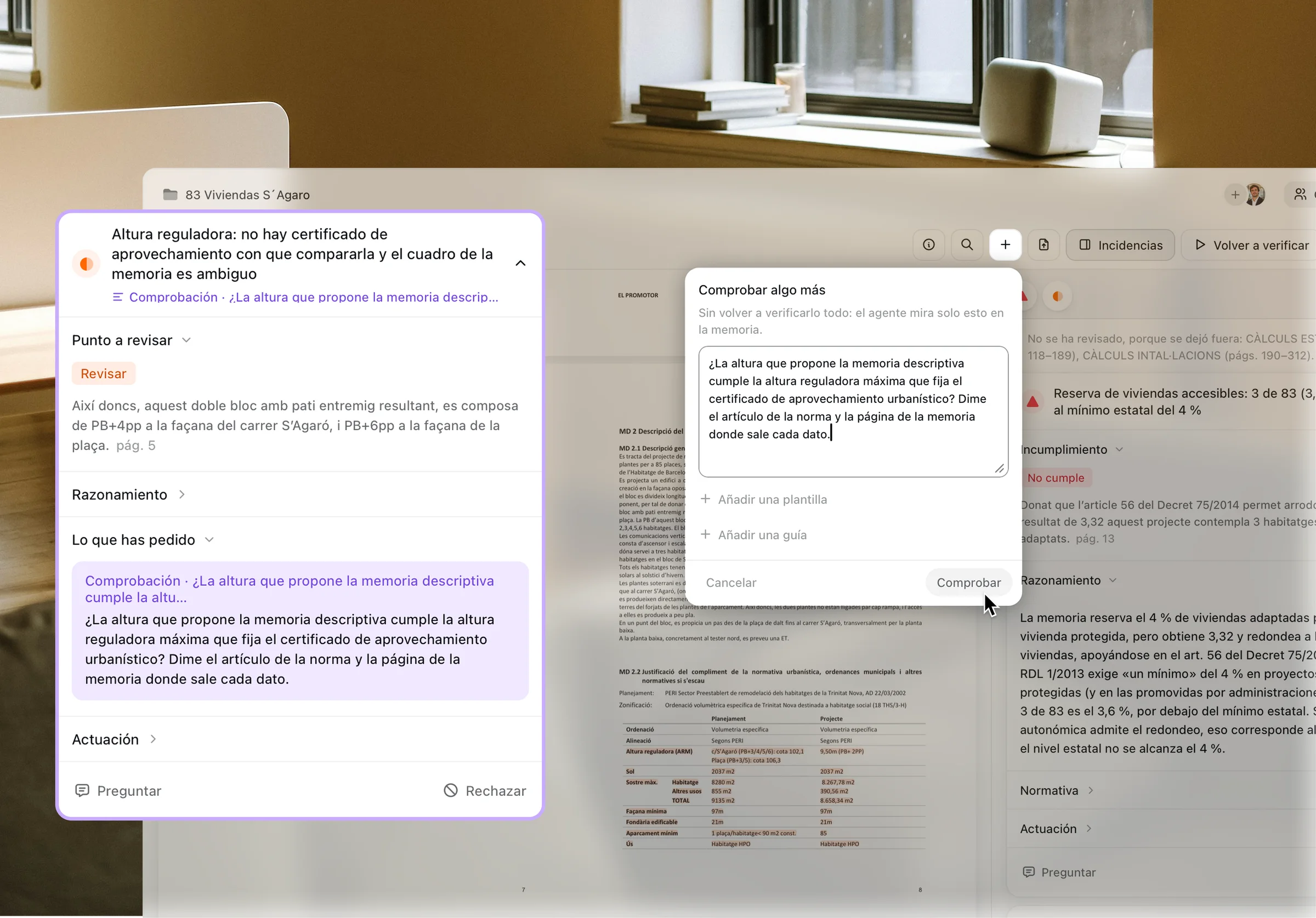
Without running the whole review again, ask for one specific check: write it in your own words, paste a prompt or attach a guide with the requirements the report or the drawing has to meet. The result appears in purple among the other issues, with its verdict: complies, needs review or does not comply.
The PDF, ready to hand over
Download the report and the drawings with each issue numbered and its note alongside. Send it to the client as it is, or go through it yourself before submitting.
Every note in its place
In the report, in the margin beside the sentence: what does not comply, the regulation and the recommended action. On the drawings, a numbered dot on the plan and its note alongside, floor by floor.
For you or for the client
With the regulation and the article for a professional, or in plain words for someone who is not.
You choose what goes in
Which issues and which drawings are included, and whether the notes go as PDF comments or in a column.
On screen or in print
It reads just as well on the computer as on paper, on the meeting table.
Shall we try it on one of your projects?
Bring a plot and a real project file. In the demo, we look up the rules that apply to it and check where every figure comes from.
Request a demo